Affiliate Disclosure: This post contains affiliate links. If you purchase through my link, I may earn a small commission at no extra cost to you.
Intro: My Journey with Blue Light
I first learned about blue light blocking in 2019. Since then, I’ve gradually taken steps to reduce my exposure to artificial blue light, and the results have been remarkable.
My eyes now notice strain immediately, and I’ve developed habits to protect them.
In this post, I’ll share my experience and tips for navigating blue light overexposure, so you can protect your eyes too.

What is Blue Light?
Light is essential for us to see, but not all light is created equal.
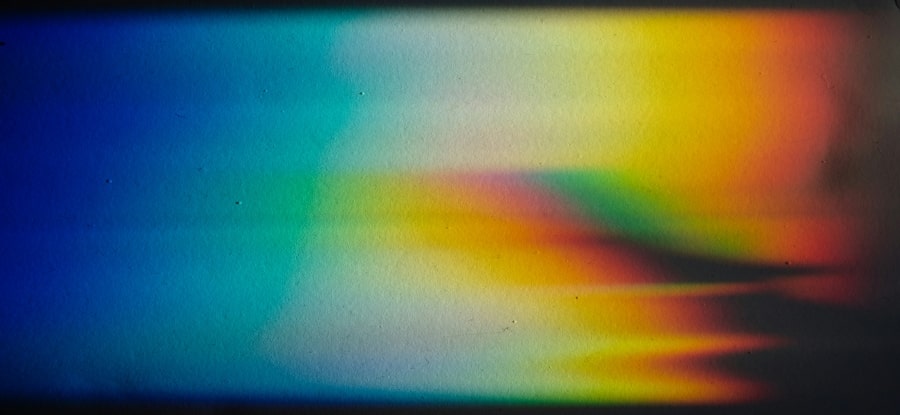
Blue light is a part of the visible light spectrum, known for its short wavelength and high energy.
It comes from natural sources like the sun, but also from artificial sources such as LED lights, phone screens, and computer monitors.
Why Artificial Blue Light Can Be Harmful
Blue light plays an important role in regulating our circadian rhythms, hormone production, and even cognitive function. However, excessive exposure—especially from artificial sources—can disrupt these systems.
Too much blue light can cause:
-
Eye strain and discomfort
-
Headaches (I have a great post on Ridding Headaches Naturally here)
-
Suppressed melatonin production, which affects sleep
Over time, disrupted sleep can contribute to other health issues, including increased risks for diabetes and cardiovascular problems.
How I Reduce Blue Light on My Phone
On my iPhone, I adjust my blue light through the brightness feature in settings. I will link instructions here.
There are two ways to navigate to the brightness feature on my phone.
Method 1: On lock screen slider
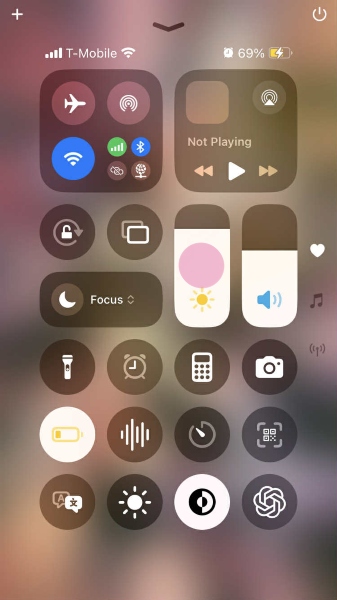
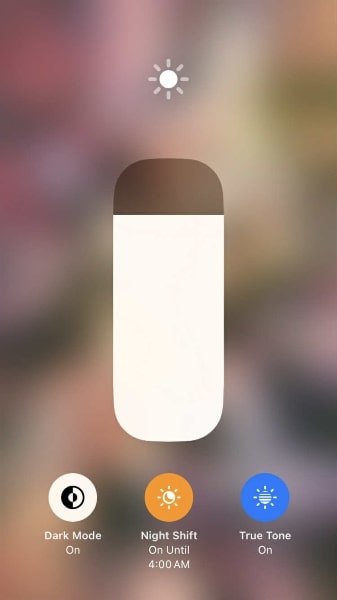
- Swipe up on phone and find the sun icon. Then press sun icon with finger for two seconds.
- Press middle button option of “Night Shift”. You can adjust night shift settings in your phones settings app.
Method 2: In phone settings app
-
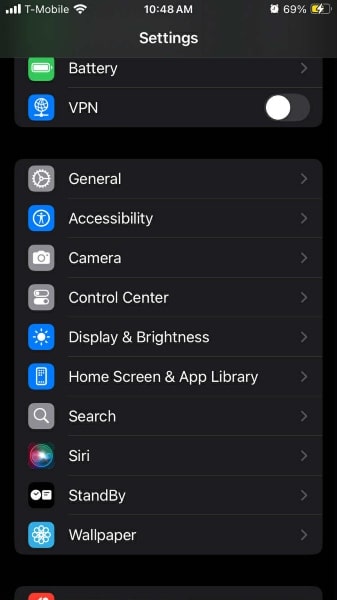
Go to your settings app. Navigate into “Display & Brightness”.
-
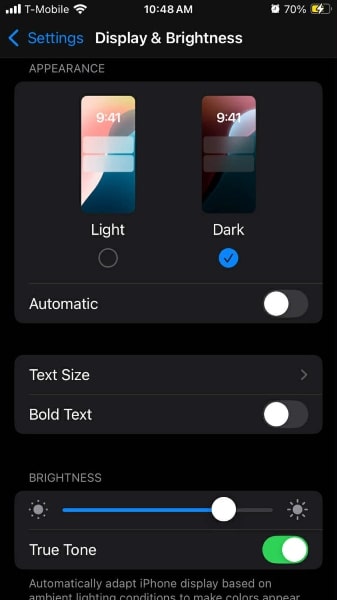
I keep my phone on dark mode and true tone, but this is optional.
-
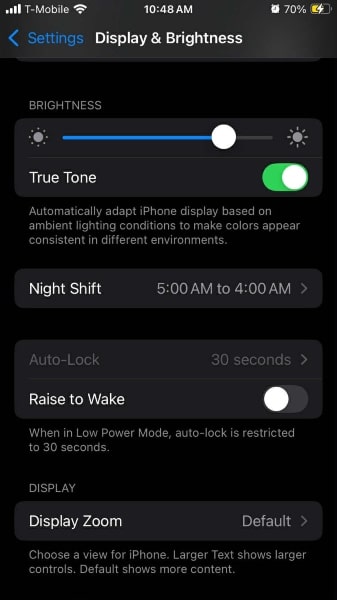
Scroll down till you see “Night Shift”. Click on this.
-
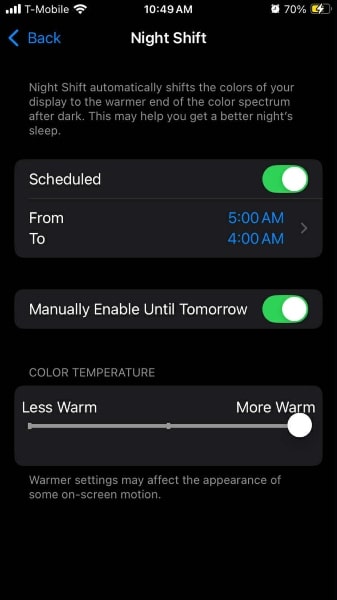
Schedule night shift so that only when you are sleeping does it turn off for one hour. I also shift color temperature all the way to “More Warm”
💡 Tip: If you have a different phone from mine, a quick search for “blue light settings on [your phone version]” usually gives clear instructions.
How I Reduce Blue Light on My Computer
I combine device settings with protective glasses to make a noticeable difference:
-
Night Light Mode: Most computers have a built-in blue light filter that you can turn on in the display settings.
-
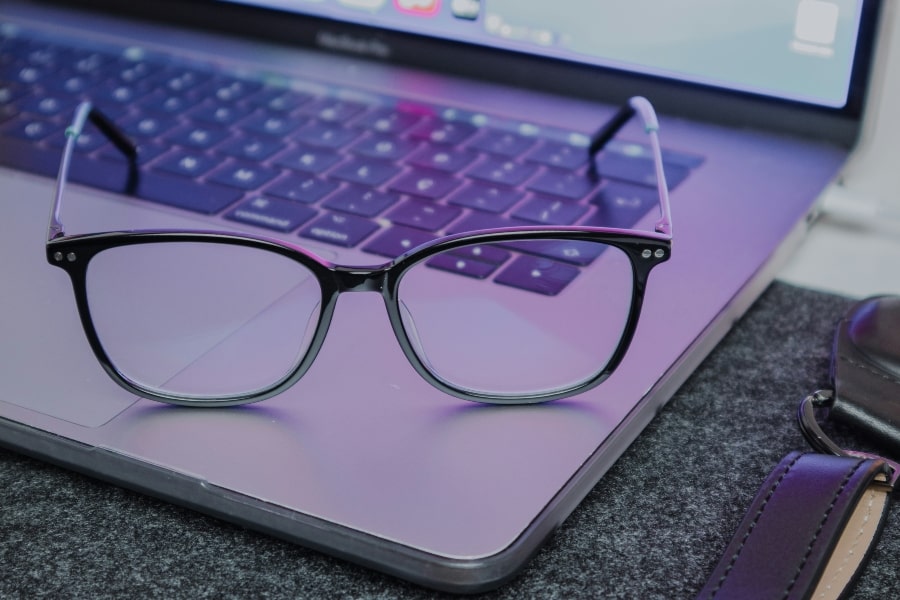
Blue Light Glasses: I wear my Swanwick blue light glasses whenever I use my computer, and they’ve been a game-changer for reducing eye strain during long hours at the screen.
- I use Swanwick blue light glasses, and they’ve been a game-changer for reducing eye strain during long hours at the screen.
If you’d like to try them, you can get 10% off your order by using my code PURELYESTHER at checkout.
- I use Swanwick blue light glasses, and they’ve been a game-changer for reducing eye strain during long hours at the screen.
💡 Personal anecdote: On days when I skip the glasses, I notice more fatigue and mild headaches. It’s a small step that makes a huge difference.

Final Thoughts
Taking steps to reduce blue light exposure has made a noticeable difference in my eye comfort and sleep quality.
Whether it’s adjusting settings on your devices or using protective glasses, small changes can make a big impact.
I hope my journey helps you find your own ways to protect your eyes.
Let me know in the comments if you use anything to help with blue light exposure!